

Most people spend hours every day with their hands resting on a computer keyboard. We tap away at emails, write reports, write code, and play games. Yet, we rarely stop to think about the complex engineering happening beneath our fingertips. The way a keyboard looks, feels, and responds is not an accident. It is the result of decades of research, engineering, and design aimed at optimizing human-computer interaction.
The physical connection between you and your machine dictates how effectively you can work. A poorly designed keyboard can lead to typos, fatigue, and even chronic pain. On the other hand, the right computer keyboard technology can boost typing speed, improve accuracy, and make your daily computing tasks significantly more comfortable.
Understanding the mechanics behind these devices helps you make better choices for your workspace. Whether you are equipping an entire office with new hardware or simply upgrading your home setup, knowing the science of keyboards gives you a distinct advantage. This guide explores the fascinating mechanisms, ergonomic principles, and system integrations that shape modern keyboard design.
The Evolution of Typing Mechanisms
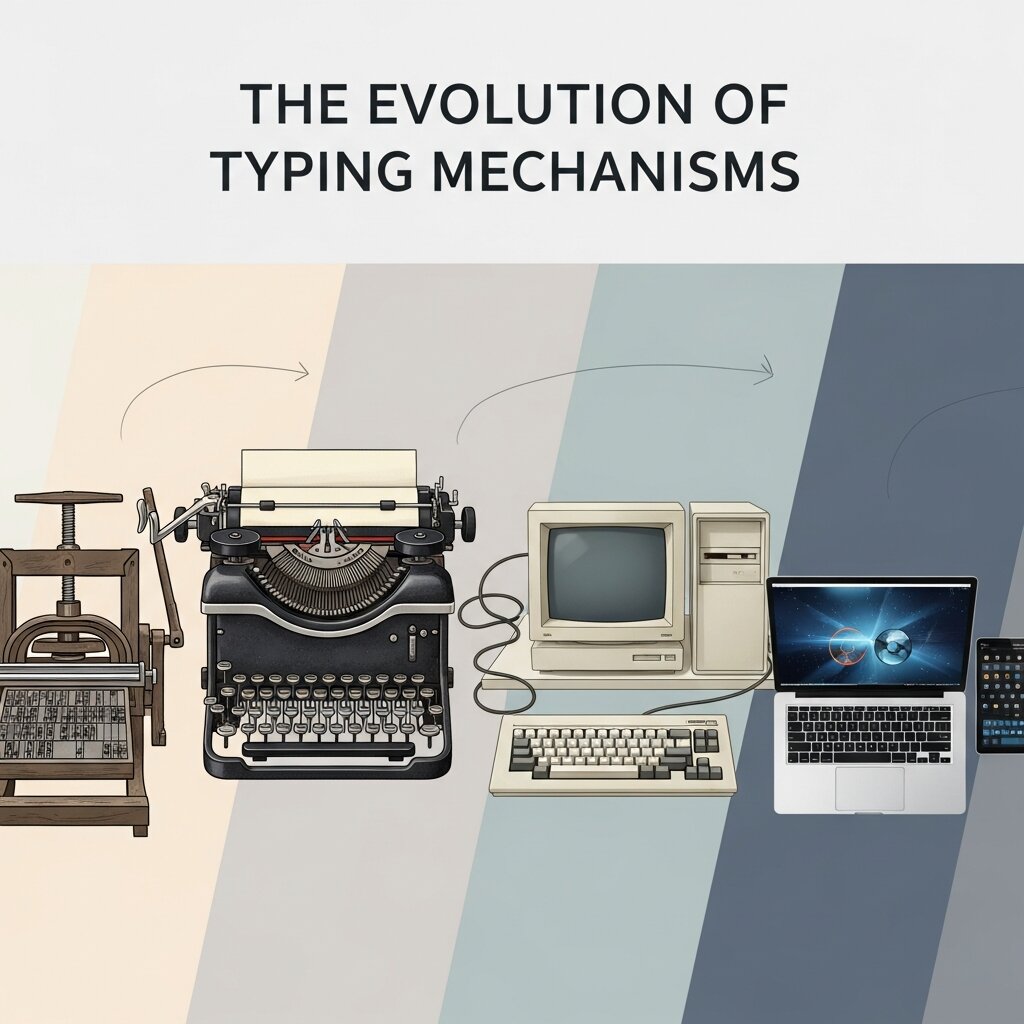 The core of any keyboard is its switch technology. When you press a key, a switch underneath registers the keystroke and sends a signal to your computer. The type of switch used fundamentally changes the user experience.
Membrane and Rubber Dome Switches
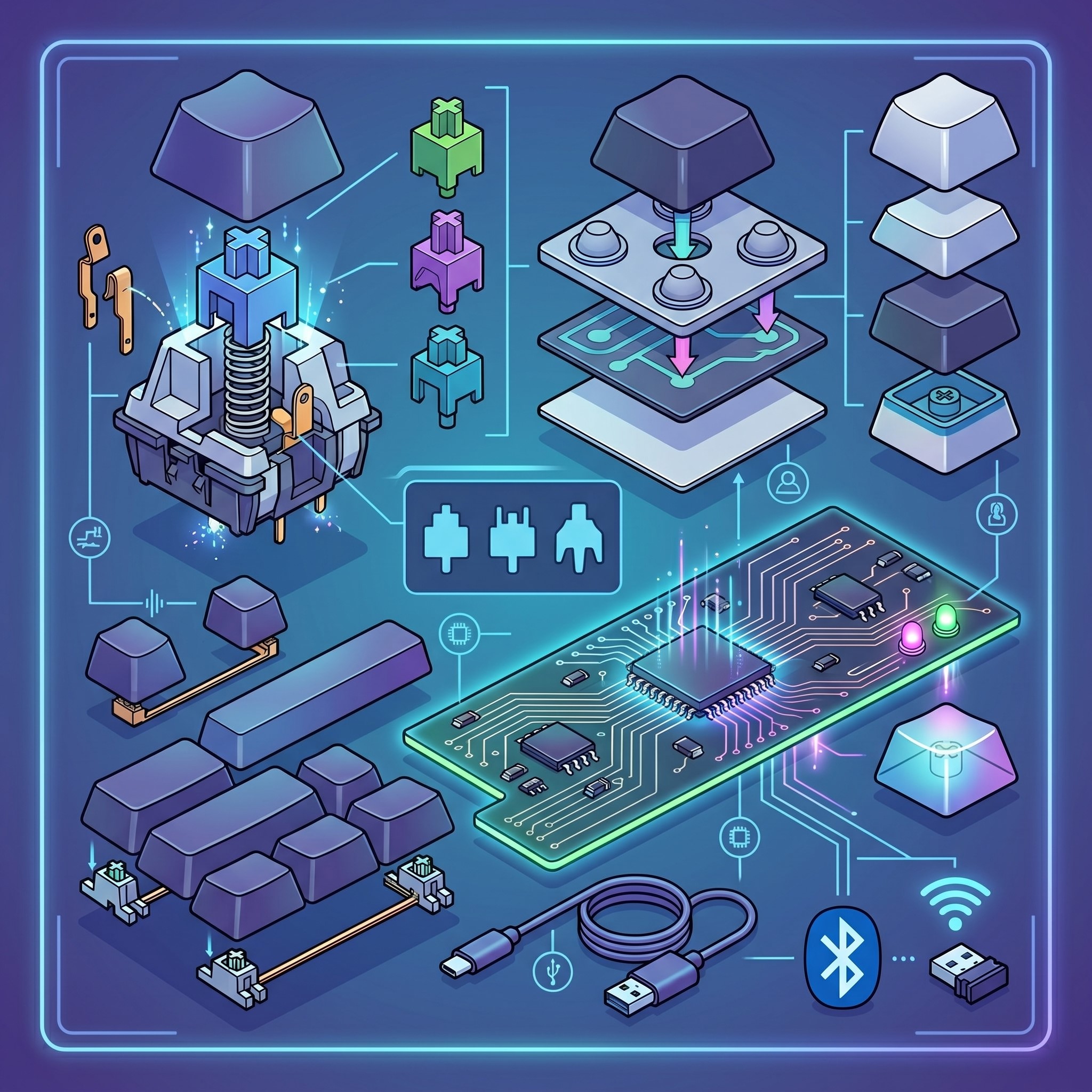
Most standard office keyboards use membrane technology. These keyboards feature a rubber dome resting over a printed circuit board. When you press a key, the dome collapses, completing an electrical circuit.
Manufacturers favor this computer keyboard technology because it is highly cost-effective and spill-resistant. The typing experience is generally quiet and soft. However, rubber dome keyboards require you to press the key all the way down—known as “bottoming out”—to register the stroke. Over time, this repetitive impact can cause finger fatigue. The rubber domes also degrade, leading to a mushy feeling and inconsistent keystrokes.
Mechanical Switches
Mechanical keyboards use individual mechanical switches for every single key. Instead of a rubber sheet, each key has its own housing, spring, and metal contacts. This design offers a vast array of tactile experiences.
Switches are generally categorized into three types:
- Linear switches: Offer a smooth, consistent keystroke from top to bottom. They are highly favored by gamers for their rapid response times.
- Tactile switches: Provide a distinct bump midway through the keystroke. This physical feedback lets the typist know the key has registered without needing to press it all the way down.
- Clicky switches: Combine the tactile bump with an audible click. This provides both physical and auditory confirmation of a keystroke, which many heavy typists enjoy.
Because mechanical switches do not require bottoming out, they often reduce strain on the fingers during long typing sessions. They are also incredibly durable, with many switches rated for tens of millions of presses.
Scissor Switches and Low-Profile Designs
Laptops and slim desktop keyboards typically rely on scissor switches. These mechanisms use two plastic pieces interlocking in an “X” shape. This design stabilizes the keycap and allows for a much shorter travel distance. While they still use a rubber dome to register the input, the scissor mechanism provides a crisper, more uniform typing feel compared to standard membrane keyboards.
Ergonomics and the Physical User Experience
Typing is a highly repetitive physical task. Without proper ergonomics, users risk developing repetitive strain injuries (RSI) like carpal tunnel syndrome. The physical layout and shape of a keyboard play a massive role in user comfort.
Keyboard Layouts and Posture
The standard flat, rectangular keyboard forces the wrists to bend outward (ulnar deviation) and the palms to lay flat (pronation). This unnatural posture places strain on the tendons and nerves in the forearms.
Ergonomic computer keyboard technology addresses this by altering the physical layout. Split keyboards divide the keys into two separate halves. This allows users to position their hands shoulder-width apart, keeping their wrists perfectly straight. Many ergonomic models also feature a “tenting” angle, which elevates the center of the keyboard. This slight angle allows the hands to rest in a more natural, handshake-like position, significantly reducing forearm tension.
Keycap Profiles and Sculpting
The shape of the plastic caps on top of the switches also impacts the user experience. Standard flat keyboards often use uniform keycaps. High-end and ergonomic keyboards frequently use sculpted keycap profiles.
Sculpted keycaps vary in height and angle depending on the row they occupy. The home row usually features heavily scooped caps to cradle the fingers. The top rows angle downward, while the bottom rows angle upward. This cylindrical curvature reduces the distance your fingers need to stretch, minimizing micro-movements and preventing fatigue over extended periods.
Integration with Computer Systems Technology
A keyboard is only as good as its ability to communicate with the host device. The hardware inside the keyboard must work flawlessly with modern computer systems technology to ensure rapid, accurate input.
Polling Rates and Latency
When you press a key, a microcontroller inside the keyboard processes the input and sends it to the computer via USB or a wireless connection. The speed at which this happens is governed by the polling rate.
The polling rate, measured in Hertz (Hz), determines how often the computer checks the keyboard for input. A standard office keyboard might have a polling rate of 125Hz, meaning it reports to the computer 125 times per second. High-performance keyboards push this to 1000Hz or even 8000Hz. While a standard typist might not notice the difference between 8 milliseconds and 1 millisecond of delay, this reduced latency is critical in fields requiring instantaneous input, such as professional gaming or high-frequency trading.
N-Key Rollover and Anti-Ghosting
Older keyboards often struggled to register multiple simultaneous keystrokes. If you pressed three or four keys at once, the keyboard would lock up or register a key you did not press—a phenomenon known as “ghosting.”
Modern computer systems technology utilizes N-Key Rollover (NKRO). NKRO ensures that every single keystroke is scanned independently by the keyboard hardware. You can press every key on the board simultaneously, and the computer will register each one in the exact order it was pressed. This reliability is vital for fast touch typists and software developers who rely on complex, multi-key shortcuts.
The Role of Keyboards in Modern IT Environments
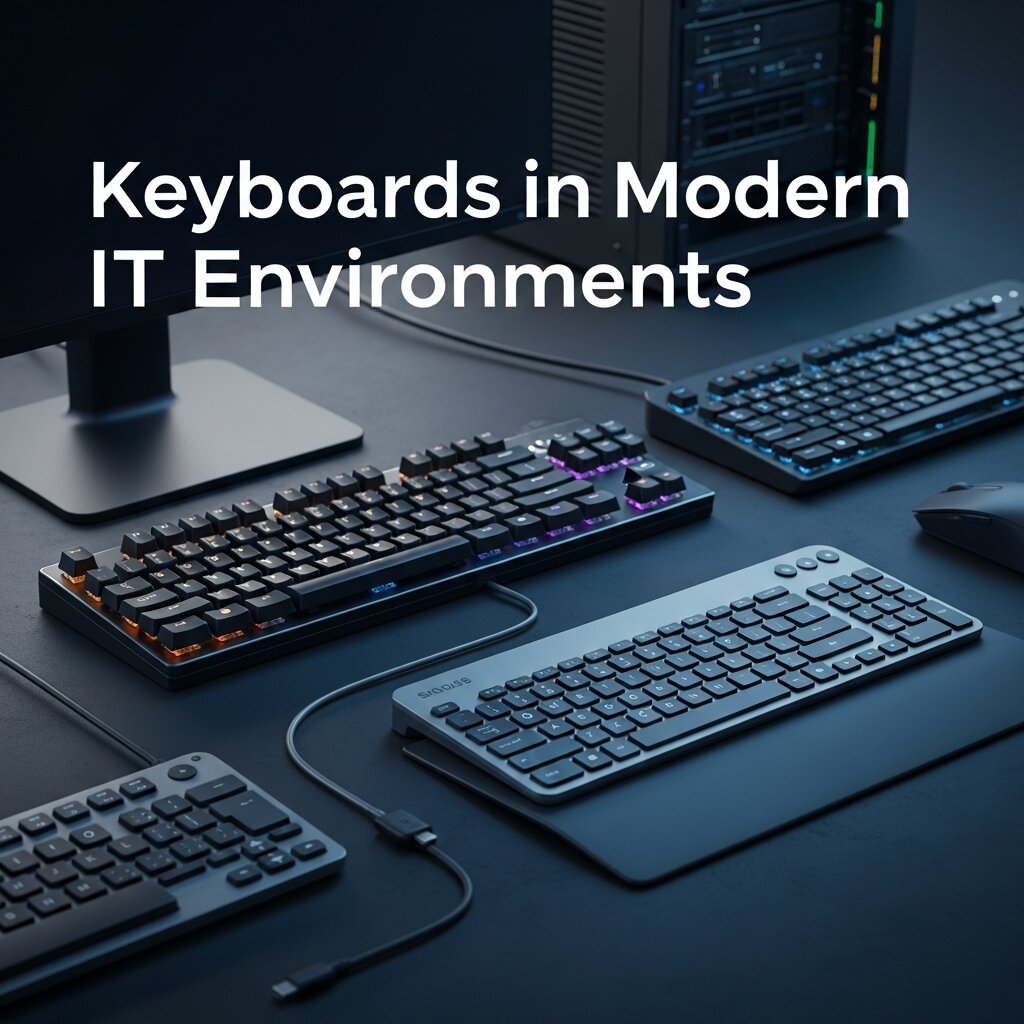 In the broader context of computer information technology, keyboards are a critical endpoint. They are the primary tool for data entry, system administration, and software development.
Programmability and Macros
Advanced keyboards offer extensive programmability at the hardware level. Users can remap keys, change layouts (such as switching from QWERTY to Dvorak), and record complex macros. A macro allows a user to bind a lengthy sequence of keystrokes or mouse clicks to a single button press.
For professionals managing large databases or executing repetitive coding tasks, these programmable layers save countless hours. The settings are often saved directly to the keyboard’s onboard memory, meaning the user can plug the device into any machine and retain their custom layout without installing additional software.
Wireless Innovations and Security
The shift toward clean, cable-free workspaces has driven massive improvements in wireless keyboard technology. Early wireless models suffered from dropped connections and severe battery drain. Today, low-energy Bluetooth and proprietary 2.4GHz wireless protocols offer battery life measured in months, alongside latency that rivals wired connections.
However, wireless input devices introduce potential security vulnerabilities. Keyloggers and wireless interception tools can capture sensitive keystrokes over the air. To combat this, robust computer technology solutions now incorporate Advanced Encryption Standard (AES) 128-bit encryption directly into the wireless receiver. This ensures that every keystroke sent from the keyboard to the computer is encrypted, protecting passwords and sensitive corporate data from interception.
The Importance of Keyboard Customization
Customization has become a defining feature of modern keyboards. Users are no longer limited to factory settings; they can modify everything from keycaps and switches to lighting effects and layouts. This flexibility allows individuals to tailor their keyboard to their exact preferences, improving both comfort and efficiency.
Hot-swappable keyboards, for example, let users change switches without soldering, making experimentation easy. Keycap materials such as PBT and ABS offer different textures and durability levels. RGB lighting customization is not just aesthetic—it can also improve usability by highlighting key zones or shortcuts. For professionals, custom layouts and programmable layers streamline workflows by reducing repetitive actions. Ultimately, customization transforms a keyboard from a generic tool into a highly personalized productivity device.
Environmental Impact and Sustainable Design
 As technology advances, sustainability is becoming a key consideration in keyboard manufacturing. Traditional keyboards often use plastics and electronic components that contribute to e-waste. However, many companies are now exploring eco-friendly materials and modular designs to reduce environmental impact.
Recyclable plastics, biodegradable components, and longer-lasting mechanical switches are helping extend product lifecycles. Modular keyboards allow users to replace individual parts instead of discarding the entire device, significantly reducing waste. Some manufacturers are also adopting energy-efficient wireless technologies to minimize power consumption.
For consumers, choosing a durable, repairable keyboard is a small but meaningful step toward sustainability. As awareness grows, eco-conscious design is likely to become a standard rather than an exception in the keyboard industry.
Choosing the Right Keyboard for Your Use Case
Selecting the right keyboard depends heavily on how you use your computer. Gamers typically prioritize fast response times, opting for linear mechanical switches and high polling rates. Writers and office professionals often prefer tactile switches or ergonomic layouts that reduce fatigue during long sessions.
Portability is another key factor. Laptop users or frequent travelers may benefit from slim, lightweight keyboards with scissor switches. Meanwhile, programmers and power users often look for full-sized or tenkeyless keyboards with programmable keys and macro support.
Noise level, build quality, and connectivity options—wired or wireless—also play important roles in decision-making. By aligning your keyboard choice with your daily tasks and comfort needs, you can significantly enhance both productivity and overall user experience.
Future Trends in Computer Keyboard Technology
The future of computer keyboard technology is rapidly evolving with innovations like optical switches, haptic feedback, and AI-driven input systems. Optical switches use light-based actuation, making keystrokes faster and more durable than traditional mechanical designs. Meanwhile, haptic feedback is being refined to simulate physical sensations on flat surfaces, opening the door for virtual keyboards that still feel tactile.
Artificial intelligence is also playing a role by predicting user input patterns, correcting errors in real time, and even adapting key sensitivity based on typing behavior. Foldable and flexible keyboards are becoming more practical, especially for mobile professionals who need portability without sacrificing performance. As computing environments expand into AR and VR, keyboards may evolve into gesture-based or projected interfaces, redefining how humans interact with machines.
Frequently Asked Questions (FAQ)
What is computer keyboard technology?
Computer keyboard technology refers to the mechanisms, switches, and systems that register keystrokes and communicate input to a computer. It includes hardware design, ergonomics, and software integration for performance.
What is the difference between mechanical and membrane keyboards?
Mechanical keyboards use individual switches for each key, offering better durability and feedback. Membrane keyboards use rubber domes, making them quieter and cheaper but less precise and responsive.
Are mechanical keyboards better for typing?
Mechanical keyboards are often better for typing due to tactile feedback, faster response, and durability. They reduce finger fatigue and improve accuracy, especially during long typing sessions or intensive work.
What is N-Key Rollover (NKRO)?
N-Key Rollover allows a keyboard to register multiple key presses simultaneously without errors. This ensures accurate input, especially for gamers, programmers, and fast typists using complex key combinations.
What is keyboard polling rate?
Polling rate measures how often a keyboard sends input data to the computer. Higher polling rates reduce input delay, providing faster response times, which is important for gaming and real-time tasks.
Are ergonomic keyboards worth it?
Ergonomic keyboards are worth it for users who type frequently. They reduce wrist strain, improve posture, and help prevent repetitive strain injuries, making long-term computer use more comfortable and safer.
How do wireless keyboards stay secure?
Modern wireless keyboards use encryption, such as AES 128-bit, to protect data. This ensures that keystrokes cannot be intercepted easily, making them safe for personal and professional use.
Finding the Right Fit for Your Typing Needs
The keyboard is the physical bridge between your thoughts and the digital world. The technology powering these devices has advanced far beyond the simple typewriter layouts of the past. From the precise actuation of mechanical switches to the structural benefits of split ergonomic designs, the science behind keyboards directly impacts your daily productivity and physical health.
Take a moment to evaluate your current setup. If you experience wrist pain, frequently mistype words, or simply feel sluggish when drafting documents, your hardware might be to blame. Investing in upgraded computer keyboard technology is one of the most effective ways to enhance your daily computing experience. Research different switch types, consider an ergonomic layout, and choose a tool that actively supports your workflow.



Leave a Reply