

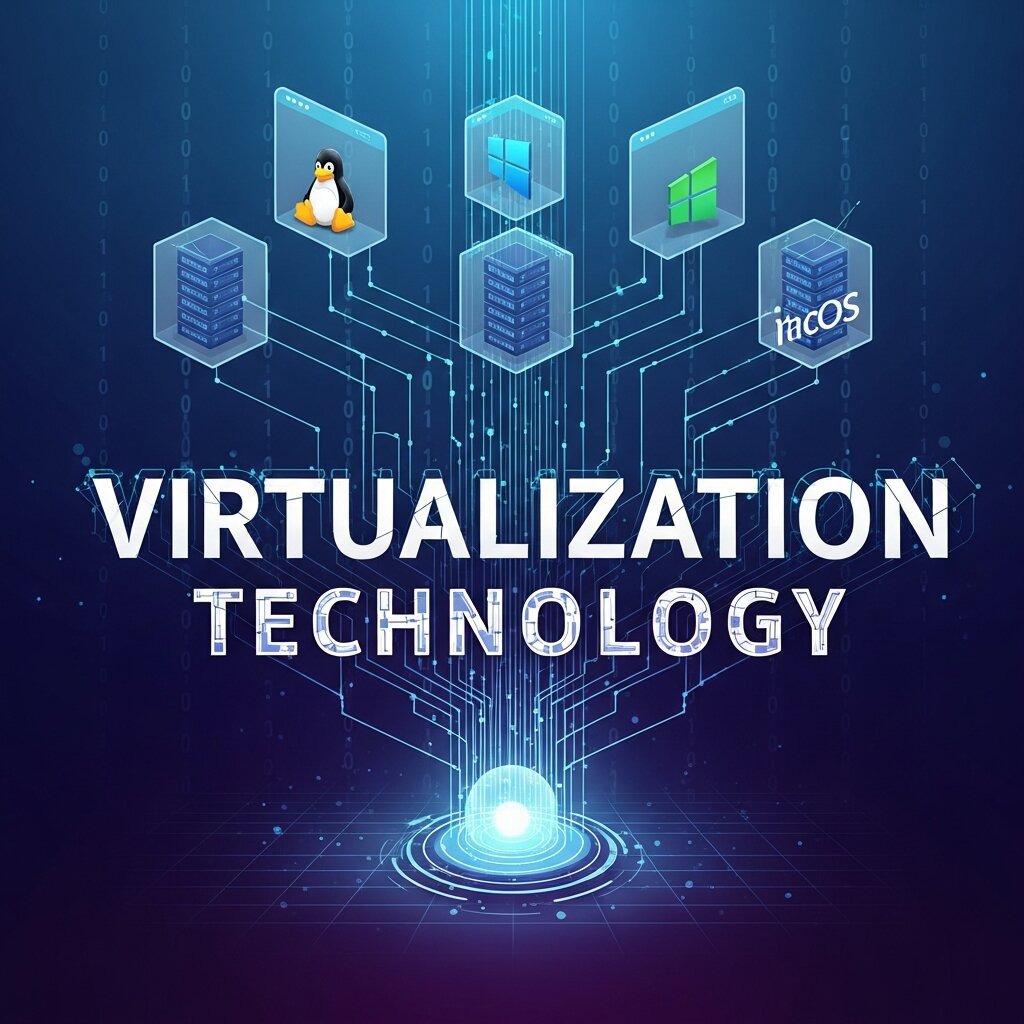
Running a growing IT environment without a clear virtualization strategy is like trying to scale a building without a blueprint. You might get somewhere, but the cracks will show eventually. Virtualization technology has fundamentally changed how organizations design, manage, and scale their infrastructure—but getting it right takes more than just spinning up virtual machines and calling it a day.
Whether your organization is modernizing a legacy data center or expanding a cloud-native architecture, the decisions you make around virtualization will have long-term consequences. Poor planning leads to resource waste, security vulnerabilities, and performance bottlenecks. Smart implementation, on the other hand, sets the foundation for an infrastructure that can grow with your business.
This guide covers the most important best practices for deploying and managing virtualization technology at scale—from server management and cloud computing integration to database management and performance optimization. If you’re looking to build an IT environment that’s efficient, resilient, and ready for what’s next, these principles will get you there.
What is Virtualization Technology and Why Does It Matter for Scalability?
Virtualization technology allows multiple virtual instances—such as operating systems, servers, storage systems, or network resources—to run on a single physical machine. By abstracting hardware from software, virtualization maximizes resource utilization and reduces the need for costly physical infrastructure.
At scale, this matters enormously. Organizations that rely on physical hardware for every workload face compounding costs: more servers, more energy, more floor space, more maintenance. Virtualization breaks that relationship. A single physical host can run dozens of virtual machines (VMs), each operating independently with its own resources, configurations, and workloads.
The scalability benefits don’t stop there. Virtualization supports rapid provisioning—new environments can be deployed in minutes rather than weeks. It also enables better disaster recovery, since virtual machines can be snapshotted, backed up, and migrated far more easily than physical hardware.
Server Management Best Practices in Virtualized Environments
How should you structure your virtual server architecture for maximum efficiency?
Effective server management begins with a well-structured architecture. One of the most common mistakes organizations make is over-provisioning virtual machines—allocating more CPU, memory, and storage than workloads actually require. This leads to resource fragmentation and reduces overall host efficiency.
A few key principles to follow:
- Right-size your VMs: Regularly audit virtual machine configurations and align resources with actual workload demands. Many monitoring tools, such as VMware vRealize Operations or Microsoft Azure Monitor, can identify over-provisioned instances automatically.
- Use resource pooling: Group virtual machines into resource pools to dynamically allocate CPU and memory based on priority. This prevents any single VM from monopolizing shared resources.
- Implement VM sprawl controls: Unchecked VM creation is one of the fastest ways to introduce inefficiency and security risk. Establish clear governance policies around who can provision VMs, and enforce automated decommissioning for idle instances.
- Separate workload types: Avoid mixing high-performance production workloads with development or test environments on the same host. Workload isolation reduces performance interference and simplifies troubleshooting.
Monitoring is non-negotiable in virtualized server environments. Real-time visibility into CPU utilization, memory pressure, disk I/O, and network throughput gives your team the data needed to make proactive adjustments before performance degrades.
What host-to-VM ratios should IT teams follow in production environments?
There’s no universal ratio, but a commonly referenced guideline for general workloads is between 8 and 12 VMs per physical core. Compute-intensive workloads—such as video rendering or machine learning inference—will require lower ratios. Lightweight workloads, like static web servers, can tolerate higher density.
The key is continuous performance baselining. Establish what “normal” looks like for each host, then use that benchmark to detect when density is negatively affecting performance.
Integrating Virtualization Technology with Cloud Computing
How does virtualization technology connect to cloud computing strategies?
Virtualization and cloud computing are deeply intertwined—cloud infrastructure is itself built on virtualization. Understanding this relationship helps organizations design more coherent hybrid and multi-cloud strategies.
Public cloud providers like AWS, Microsoft Azure, and Google Cloud all use hypervisors to partition physical servers into virtual instances. When you provision an EC2 instance or an Azure Virtual Machine, you’re consuming virtualized compute. This means the skills and practices developed in on-premises virtualized environments translate directly to cloud environments.
For organizations managing hybrid infrastructure, consistency between on-premises and cloud-based virtualization platforms is critical. Tools like VMware Cloud on AWS or Azure Arc allow teams to apply uniform policies, monitoring, and management across environments. This reduces operational complexity and makes workload migration more predictable.
What are the best practices for hybrid cloud and virtualization?
- Use consistent management tooling: Avoid siloed management tools for on-premises and cloud environments. Unified platforms reduce context-switching and support better visibility.
- Design for workload portability: Build virtual machines and containers using open standards where possible. Vendor lock-in becomes a significant constraint when your infrastructure needs to evolve.
- Optimize egress costs: Moving data out of cloud environments is expensive. Design your architecture to minimize unnecessary data transfer between on-premises systems and cloud-hosted VMs.
- Apply consistent security policies: Ensure that security configurations, such as firewall rules, identity access management, and encryption settings, are mirrored across your on-premises and cloud-based virtualized environments.
Cloud computing expands the scalability ceiling for virtualized environments dramatically. The ability to burst workloads to the cloud during peak demand—without over-provisioning permanent on-premises capacity—is one of the most valuable outcomes of a well-integrated virtualization strategy.
Database Management in Virtualized Environments
Should databases be virtualized, and what are the trade-offs?
Database management is one of the most scrutinized areas when it comes to virtualization. For years, database administrators argued that virtualizing databases introduced unacceptable latency and unpredictability. That position has shifted considerably, but caution is still warranted.
The decision to virtualize a database workload should be driven by performance requirements, not convenience. Transactional databases—particularly those with strict IOPS requirements, such as SQL Server or Oracle Database running OLTP workloads—require careful planning.
Key best practices for database management in virtualized environments include:
- Dedicate storage resources: Use dedicated datastores for database volumes rather than sharing storage pools with other workloads. This reduces I/O contention and improves predictability.
- Avoid memory overcommitment on database hosts: Memory ballooning and swapping are death sentences for database performance. Allocate only as much memory as the host can physically provide across all running VMs.
- Use local NVMe or high-speed SANs: For latency-sensitive databases, prioritize low-latency storage. Shared network-attached storage may introduce too much variability for production database environments.
- Pin vCPUs for NUMA awareness: Large database VMs should have their virtual CPU allocations pinned to align with NUMA (Non-Uniform Memory Access) topology on the physical host. Misalignment can significantly reduce memory access speed.
- Monitor I/O at the hypervisor layer: Database performance issues often originate at the storage layer. Capture I/O latency, queue depth, and throughput metrics at both the guest OS and hypervisor level to identify bottlenecks accurately.
For analytics and data warehouse workloads—which are generally more tolerant of latency than OLTP systems—virtualization is well-established and typically introduces minimal risk.
Security Best Practices for Virtualized IT Environments
How do you secure a virtualized environment without compromising performance?
Security in virtualized environments requires a layered approach. The hypervisor itself becomes a high-value target: compromising it means gaining access to every VM it hosts. Protecting the hypervisor layer is therefore non-negotiable.
- Keep hypervisors patched: Apply security patches promptly. Hypervisor vulnerabilities—such as the Spectre and Meltdown CPU vulnerabilities disclosed in 2018—can expose all hosted VMs to risk.
- Limit hypervisor access: Restrict administrative access to the hypervisor management interface to a small, audited group. Use multi-factor authentication and separate management networks from production traffic.
- Segment networks at the virtual layer: Use virtual switches and VLANs to isolate workloads at the network level. A compromised VM in one segment should not have direct network access to VMs in another.
- Implement VM-level encryption: For sensitive workloads, enable encryption at the VM storage layer. Both VMware and Microsoft Hyper-V support encrypted VM configurations.
- Audit snapshot usage: Snapshots are a valuable tool, but long-running snapshots introduce performance degradation and storage bloat. Establish policies that automatically alert on or remove snapshots older than a defined threshold.
Security and performance are often framed as competing priorities in virtualized environments. With proper architecture, they’re complementary. A segmented, well-monitored environment is also a more stable one.
Performance Optimization Strategies for Large-Scale Virtualization
What performance tuning strategies matter most at scale?
As virtualized environments grow, performance optimization becomes an ongoing discipline rather than a one-time configuration task. Here are the practices that tend to have the highest impact:
Live migration management: Features like VMware vMotion or Hyper-V Live Migration allow running VMs to be moved between hosts without downtime. At scale, uncontrolled live migrations can saturate storage and network resources. Define migration thresholds carefully to balance load without overwhelming network bandwidth.
Storage tiering: Not all data needs to live on high-performance storage. Implement automated storage tiering to move hot data to fast media (NVMe or SSD) and cold data to lower-cost tiers. This significantly reduces storage cost without sacrificing performance for active workloads.
CPU scheduling optimization: Modern hypervisors include schedulers that balance vCPU execution across physical cores. Review scheduler settings for workloads that are particularly latency-sensitive—in some cases, custom CPU affinity rules can reduce scheduling overhead.
Network I/O optimization: At high VM density, network I/O can become a constraint. Technologies like SR-IOV (Single Root I/O Virtualization) allow VMs to access physical network adapters directly, bypassing the hypervisor software layer and dramatically improving throughput and reducing latency.
Frequently Asked Questions (FAQs)
1. What is virtualization technology?
Virtualization technology is the process of creating virtual versions of computing resources such as servers, operating systems, storage devices, networks, or desktops. It enables multiple virtual machines (VMs) to run on a single physical server, improving resource utilization and reducing hardware costs.
2. What are the main benefits of virtualization technology?
Virtualization offers numerous benefits, including lower infrastructure costs, better hardware utilization, simplified server management, improved scalability, faster disaster recovery, increased business continuity, enhanced workload flexibility, and easier deployment of new applications.
3. What are the different types of virtualization?
The most common types include server virtualization, desktop virtualization, storage virtualization, network virtualization, application virtualization, operating system virtualization, and data virtualization. Each serves a specific purpose in optimizing IT infrastructure.
4. How does virtualization technology improve business scalability?
Virtualization enables organizations to provision new virtual machines quickly, allocate resources dynamically, migrate workloads without downtime, and expand infrastructure without purchasing additional physical hardware. This flexibility supports business growth while controlling operational costs.
5. What is the difference between virtualization and cloud computing?
Virtualization is the underlying technology that creates virtual resources from physical hardware, while cloud computing delivers those virtualized resources as on-demand services over the internet. In many cloud environments, virtualization serves as the foundation that powers cloud infrastructure.
6. Is virtualization suitable for database management?
Yes, virtualization is widely used for database management when properly configured. Organizations should allocate sufficient CPU, memory, and storage resources, minimize I/O contention, and continuously monitor database performance to ensure reliable operation for critical workloads.
7. What security risks are associated with virtualization technology?
Common security risks include hypervisor vulnerabilities, virtual machine sprawl, unauthorized administrative access, misconfigured virtual networks, outdated software, and insecure VM snapshots. Regular patching, network segmentation, access controls, and continuous monitoring help reduce these risks.
8. How can businesses optimize virtualization performance?
Performance can be improved by right-sizing virtual machines, monitoring CPU and memory usage, using high-performance storage, implementing automated load balancing, optimizing network configurations, limiting resource overcommitment, and regularly reviewing workload distribution across hosts.
9. Which industries benefit most from virtualization technology?
Virtualization technology benefits organizations across industries, including healthcare, finance, education, manufacturing, retail, telecommunications, government, and technology. Any business seeking greater scalability, efficiency, and disaster recovery capabilities can benefit from virtualization.
10. What are the best practices for implementing virtualization technology?
Successful implementation starts with assessing business requirements, selecting the right virtualization platform, planning resource allocation, automating routine management tasks, integrating security from the beginning, monitoring infrastructure continuously, maintaining regular backups, and reviewing performance metrics to support long-term scalability.
Building a Virtualization Strategy That Scales With Your Business
The organizations that get the most out of virtualization technology aren’t necessarily the ones with the largest budgets—they’re the ones with the clearest strategies. Virtualization done well reduces cost, improves agility, and creates an infrastructure that bends rather than breaks under pressure.
Start by auditing your current environment: identify where resources are being wasted, where workloads are poorly matched to infrastructure, and where security gaps exist. From there, prioritize the areas with the highest impact—whether that’s server consolidation, cloud integration, or database management optimization.



Leave a Reply